A selfie in. A regulation photo out.
Pick your country and document, take one photo, and the app crops it to the published specification and replaces the background. Everything happens on your phone.

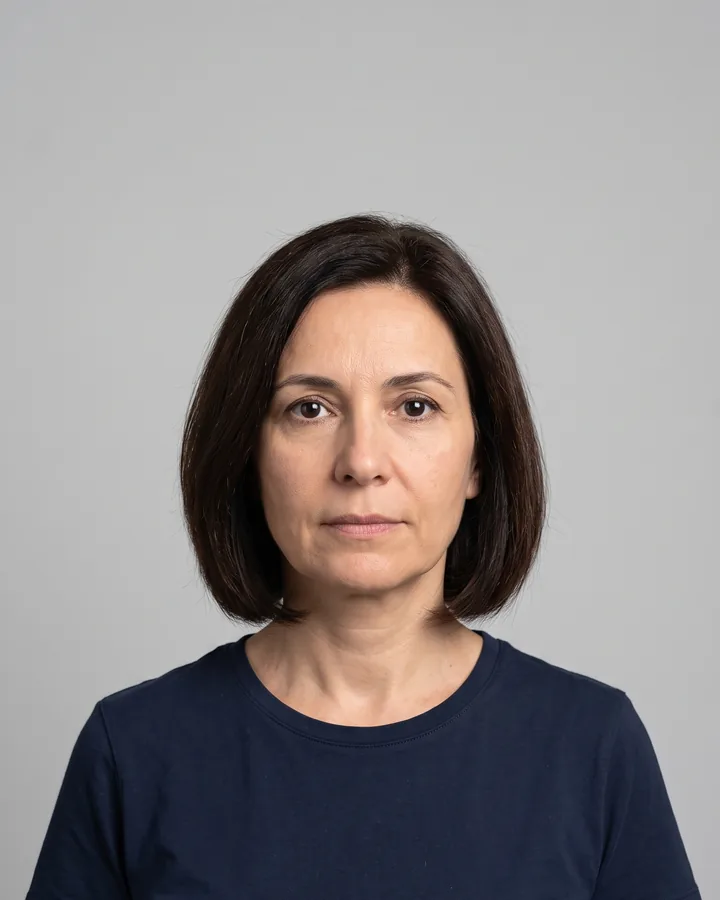 BEFORE
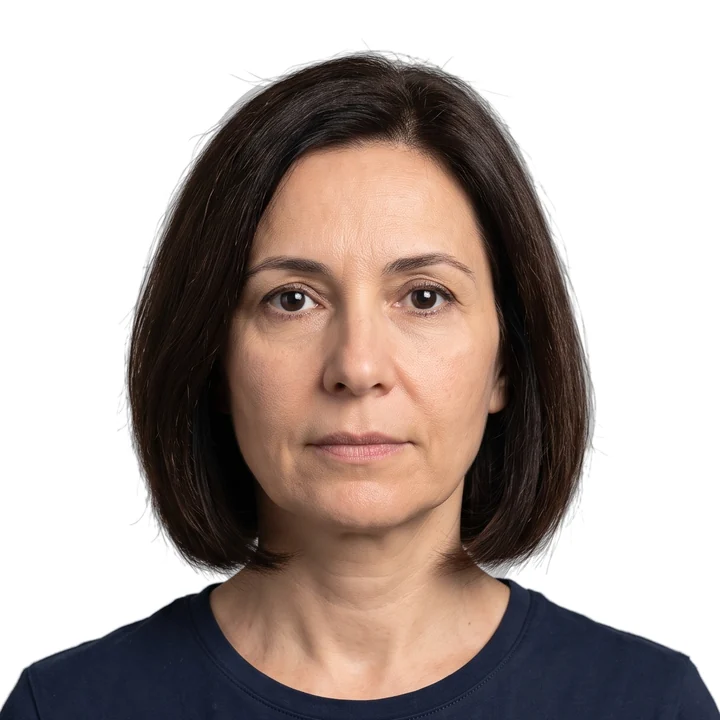 AFTER · US PASSPORT
How it works
Choose the specification
Country and document type — passport, visa, residence card. The exact millimetres are shown before you shoot.
Take or pick one photo
An on-screen guide positions your head and eye line, then the crop and background are applied automatically.
Export or print
A single file for online forms, or a 4×6 inch sheet with cut marks for any print shop.
Photo sizes by country
Every specification is taken from the issuing authority and dated. Open a country to see the requirements in full.
- USUnited States51 × 51 mm · Passport
- USUnited States51 × 51 mm · Visa
- GBUnited Kingdom35 × 45 mm · Passport
- EUSchengen Area35 × 45 mm · Visa
- INIndia35 × 45 mm · Passport
- INIndia51 × 51 mm · OCI
- CNChina33 × 48 mm · Visa
- CACanada50 × 70 mm · Passport
- AUAustralia35 × 45 mm · Passport
- JPJapan35 × 45 mm · Passport
Eight photos for the price of one print.
The app lays your photo out eight times on a standard 4×6 inch sheet with cut marks. Any corner print shop or kiosk prints that sheet as a single photo — then you cut along the marks. We printed one and measured it against a ruler before shipping it.
Your photo stays on your phone
Face detection, cropping and background replacement all run on the device. Nothing is uploaded, and no account is required to export.
This build has no server that receives photos at all — the whole app works in airplane mode. Read the privacy policy.
Sourced and dated
Every measurement links to the issuing authority’s own page, with the date we last checked it. Governments change requirements without notice.
This app helps you meet published photo specifications. It does not guarantee acceptance by any government or agency. Always verify current requirements with the official authority.
Questions
Will my photo be accepted?
The app crops and formats to the specification published by the issuing authority and checks head size, eye line, resolution and background. Acceptance is always the authority's decision, so verify the current requirements before you submit. Requirements change without notice, which is why every specification page here carries the official source and the date we last checked it.
Do I need a plain wall behind me?
Usually not. The app separates you from whatever is behind you and replaces the background with the colour your specification requires — white for most passports, light grey for Germany, light blue or grey for France. The exception is South Korea, which rejects photos whose background was composited digitally: for that specification the app deliberately skips background replacement and warns you, so you do need a suitable wall. Even lighting helps the edge quality around hair, so face a window rather than standing with your back to one.
How much does it cost?
Nothing. The current release is free: every export is full resolution and carries no watermark, there is no subscription, and no payment is possible inside the app. It is funded by advertising — a banner while you work, and a full-screen advert after every third export. Paid options may arrive in a later update, and if they do, this page and the privacy policy will be rewritten before that build ships.
Does it work without an internet connection?
Yes. Face detection, cropping, background replacement, the compliance checks and the export all run on your phone using models bundled with the app. You can put the phone in airplane mode and use every feature. Only the adverts need a connection, and their absence does not block anything.
Can I print at home?
You can, but a home inkjet on plain paper is rejected by most authorities — they require photographic paper. The more useful option is the print sheet: the app lays your photo out eight times on a standard 4×6 inch sheet with cut marks, and any print shop or supermarket kiosk prints that as a single photo for around $0.30. We printed one and checked it against a ruler before shipping the feature.
Are glasses or head coverings allowed?
It depends entirely on the country, which is why the rules are printed on each specification page. The United States no longer accepts glasses in passport or visa photos without a signed medical statement; Canada and China allow them if the eyes are clearly visible and there is no glare. Head coverings are almost universally allowed for religious reasons provided the face is visible from chin to forehead.
Which countries are supported?
This website publishes 15 specifications. The app offers the 11 of them we could confirm completely against an official source. The remaining 4 — the Schengen visa, the Indian passport, the Indian OCI card and the Mexican passport — are published here with their sources but are missing one figure each that the crop depends on, so the app does not offer them rather than guess. More are added as we can confirm them.
Is my photo uploaded anywhere?
No. This release has no server that receives photos — the code path does not exist in the build. No account is needed, nothing is uploaded, and there is nothing on our side for anyone to request, subpoena or leak. A future update may add an optional higher-quality background cleanup that runs on a server; if it does, it will ask for your consent every single time, and this answer will change before that build ships.
Find your country’s requirements
15 specifications, each taken from the issuing authority and dated. Free to read, no sign-up, no download.
Browse all specifications